
In the current scenario, in which digital skills and professional certifications are gaining more and more prominence, the online courses offered by Microsoft emerge as an affordable alternative.
Furthermore, the content on the Microsoft Learn platform was created by experts and follows international quality standards.

1. Microsoft 365 Fundamentals
The Microsoft 365 Fundamentals course provides a solid foundation in Microsoft 365 services and solutions. It's frequently sought after by those looking to understand key cloud concepts, security, compliance, and data management in the enterprise environment.
Despite its introductory nature, the content covers technical and strategic aspects of the tools. This means that even those who already use the suite on a daily basis can broaden their perspective. Furthermore, the course helps align practical knowledge with Microsoft's official framework.
2. Developing Solutions for Microsoft Azure
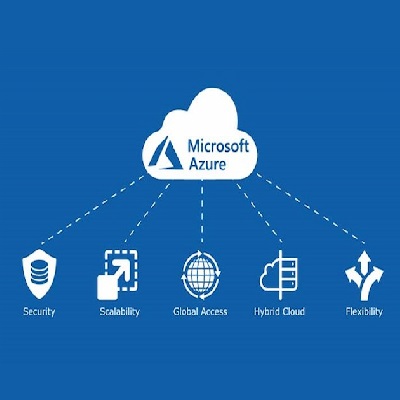
The Developing Solutions for Microsoft Azure course presents the fundamentals and practices of cloud solution development. In other words, it offers a comprehensive overview for professionals who want to build, test, and scale applications within the Azure ecosystem.
At the same time, the modules cover aspects such as security, performance, and automation. Students often find this course provides the foundation they need to migrate or consolidate projects in cloud environments. Furthermore, the content aligns with the demands of the current technology market.
3. Microsoft 365 Endpoint Administrator
In this course, participants learn about device and application management in the Microsoft 365 environment. This skill is constantly in demand by companies adopting remote or hybrid work strategies and requiring efficient management.
Additionally, the course covers topics such as security policies, deployment, and user support. Likewise, the learning allows you to understand the interactions between devices, identity, and infrastructure. Despite this, the approach is accessible, even for beginners.
4. Microsoft 365 Copilot User Enablement Specialist
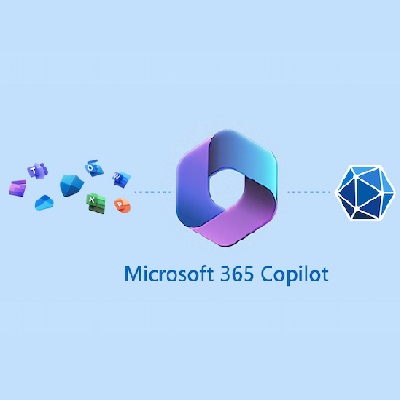
Copilot's User Enablement Specialist course focuses on productivity and intelligent AI adoption. Participants are then prepared to guide teams in the effective use of AI-powered tools within Microsoft 365.
Despite the advanced subject matter, the course presents a clear structure based on real-world scenarios. In other words, beyond theory, there are practical applications that facilitate content absorption. At the same time, the concepts explore the impact of AI on current workflows.
5. Hybrid Learning: A New Model for the Future of Learning

This course explores the concept of hybrid learning, highlighting the impacts of educational environments that blend digital and in-person learning. It is often intended for both educators and professionals interested in modern teaching methodologies.
While presenting new pedagogical approaches, it also proposes tools and solutions for implementing them. Even so, it doesn't require in-depth technical knowledge. Furthermore, it encourages a broad vision of the future of education and the changes already underway.
How to enroll in a Microsoft course
The registration process for Microsoft online courses takes place directly on the Microsoft Learn platform. As long as the user has a Microsoft account, they simply need to log in. the course catalog and choose the desired content. Then, the course can begin.
Navigation is intuitive, with filters by difficulty level, products, and professional role. Likewise, courses are clearly marked. After clicking on a course, students can begin immediately. In other words, there are no deadlines or fixed start dates.
Furthermore, all the material is available online, allowing you to study at your own pace. However, your progress is saved automatically, making it easy to return to it later. Later, when you complete the activities and assessments, you can access the corresponding certificate.
Now, users have direct access to relevant courses, with constantly updated content. Microsoft often recommends learning paths based on the student's profile and browsing history. This makes the experience more targeted and productive.
How Microsoft courses work
Microsoft courses are delivered in a virtual environment, with text- and video-based materials. However, students don't need to download anything: everything happens directly in the browser. Furthermore, courses can be taken on any device.
Each course is divided into modules and lessons that organize the content by topic. Students can then test their knowledge through quizzes and challenges. There are also longer path options for those seeking more in-depth training.
Courses often include external references and additional links for further study. Even those with limited time can easily progress through the topics. This is because the content is presented in a segmented and practical manner, facilitating continuous learning.
Meanwhile, the platform automatically recognizes completed modules, visually marking progress. Occasionally, integration with other Microsoft certifications and partner programs is available. In this sense, the courses serve as a foundation for new professional qualifications.
The importance of Microsoft course certificates
The digital certificate earned at the end of the courses represents official recognition from Microsoft itself. Along with the learning experience, it validates dedication and mastery of a relevant topic. Sometimes, it can make all the difference when seeking a promotion or new position.
Furthermore, certificates are useful in selection processes, as they demonstrate constant updating and alignment with market practices. Despite this, many candidates still underestimate their importance. However, in sectors such as technology and management, this evidence has real value.
In other words, Microsoft certificates add credibility to your resume and professional profile. Later, in interviews or meetings, you can present a direct link to the document, reinforcing authenticity. Likewise, they help you stand out on platforms like LinkedIn.
At the same time, certification can boost networking and facilitate connections with other professionals in the field. Now, with free access to courses, this opportunity has become even more democratic. As knowledge expands, the certificate formalizes this evolution.
Advantages of free Microsoft courses
With an accessible approach, Microsoft courses offer numerous benefits for both beginners and experienced professionals. From the first access, users notice the platform's organization, which combines clarity, technology, and relevant content.
- Direct access via browser
- Courses developed by globally recognized experts
- Practical content focused on real market demands
- Digital certificates available upon completion of the course
- Variety of areas such as cloud, productivity, AI and education
- Total flexibility of schedules
Despite their many advantages, these courses don't require prior experience or advanced knowledge. Now, anyone interested in professional development can find a path that meets their needs. In other words, it's qualified knowledge available to everyone.
Did you enjoy learning about Microsoft courses?
With so many free online courses available, studying with Microsoft has become an effective alternative for those seeking constant updates. Furthermore, the platform combines technology and quality teaching methods into comprehensive and personalized experiences.
Read also: TVET Colleges: Free Course Opportunities
Every time a professional invests time in structured learning, the results are evident in performance and opportunities. This is especially true when the content is backed by a global brand. Therefore, learning about Microsoft courses opens doors to the future.